Managing Payment Methods & Cancellation
Payment Method Options (Owners Only)
Add: Go to Subscription → Subscription Information → Click Add Payment Method.
Set Default: Select a card and click Make Default.
Remove: Select a card and click Remove (Note: A payment method cannot be removed if it is the only one on file).
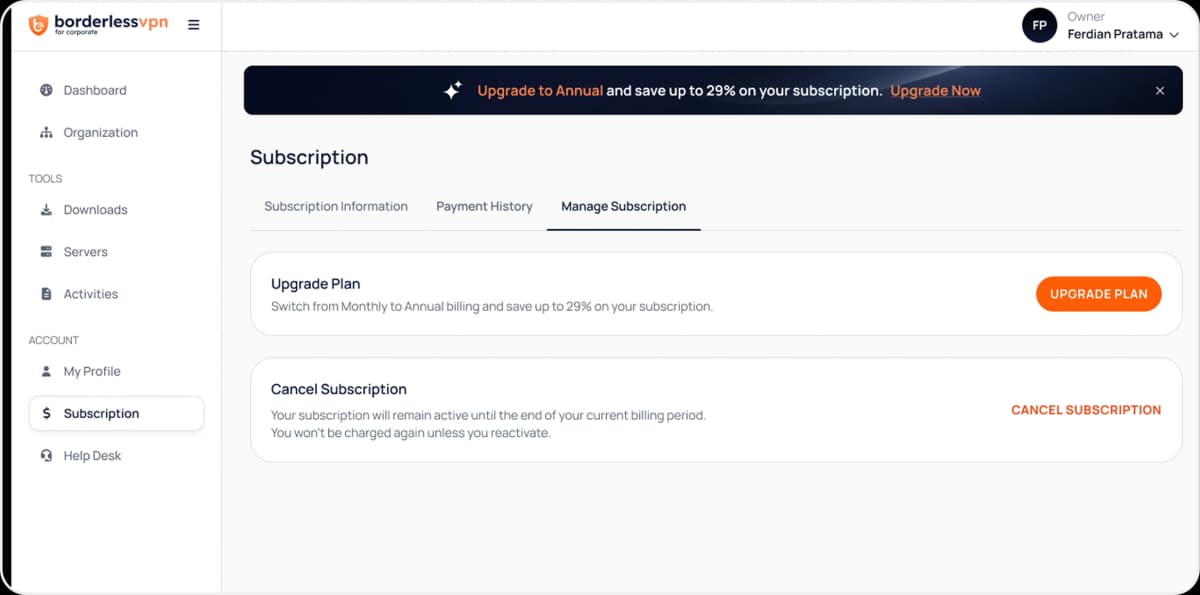
Canceling Auto-Renewal:
- 1
Log in to the BVPN Corporate account.
- 2
Navigate to Subscription → Manage Subscription tab.
- 3
Click Cancel Subscription to turn off automatic renewal.