How to register an account?
Learn how to create your BorderlessVPN Corporate account and complete the setup and payment process.
- 1
At BorderlessVPN Individual, click VPN for Corporate menu, and you will be redirected to BVPN Corporate Landing website.

- 2
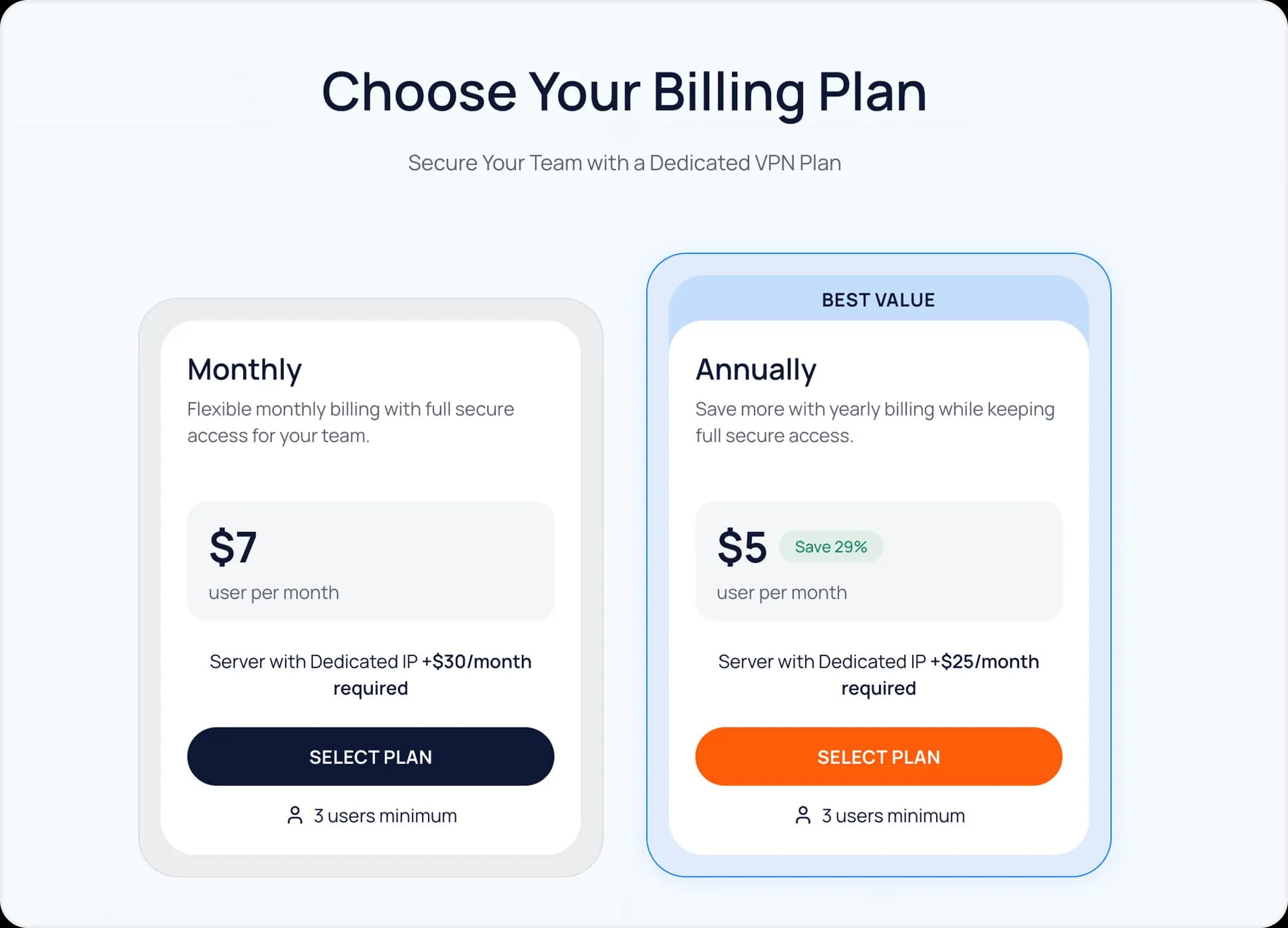
Click ‘Get Started’ and choose which package you want. You can observe which packages suit your needs. There are 3 packages to be selected. In the selected packages, click the ‘Select Plan’ button
- 3
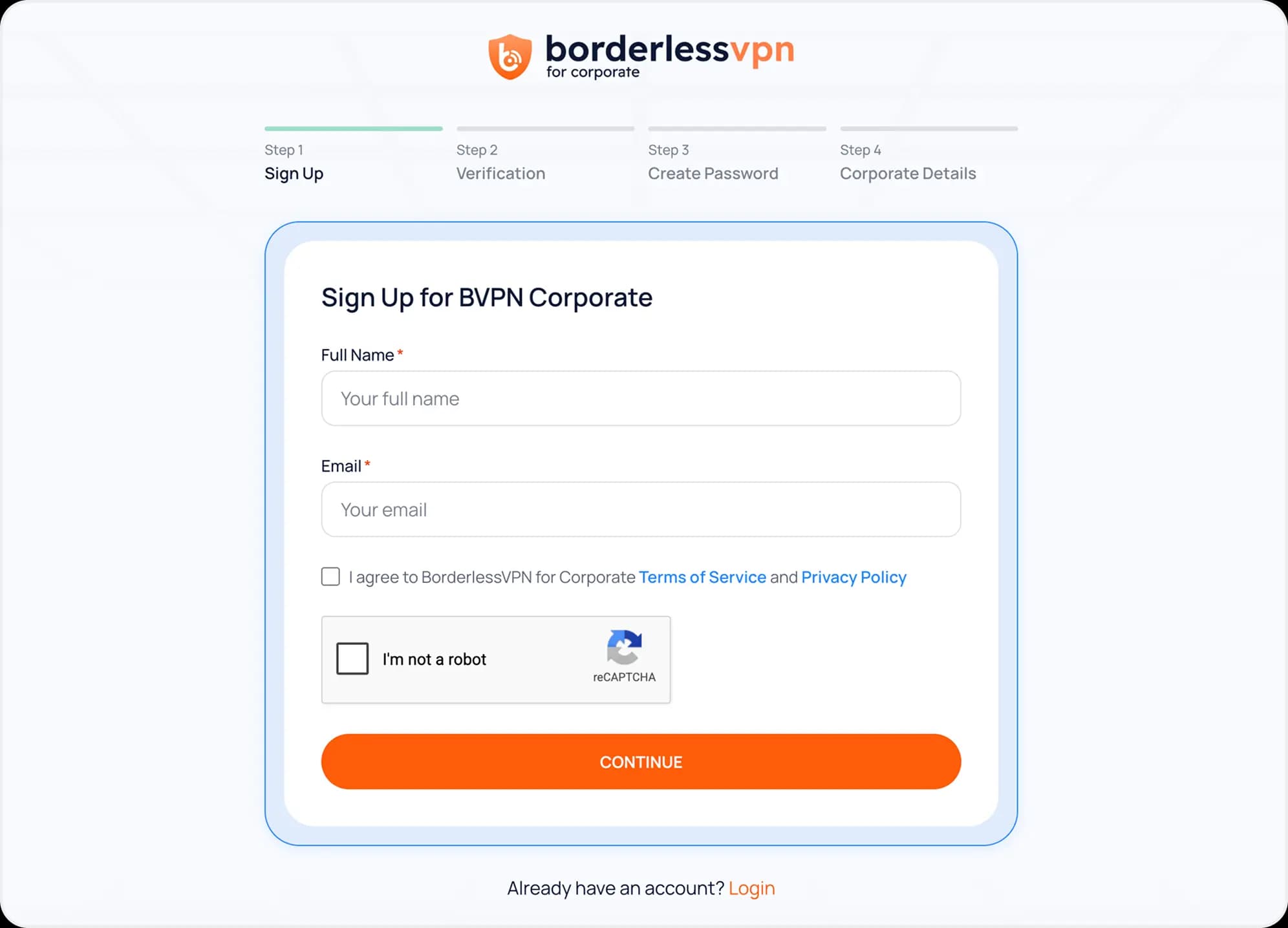
You need to complete 4 steps. The 1st step is to input your full name and email, accept the agreement of our Terms of Service and Privacy Policy, and verify recaptcha, then click ‘Continue’ button to proceed next step.
- 4
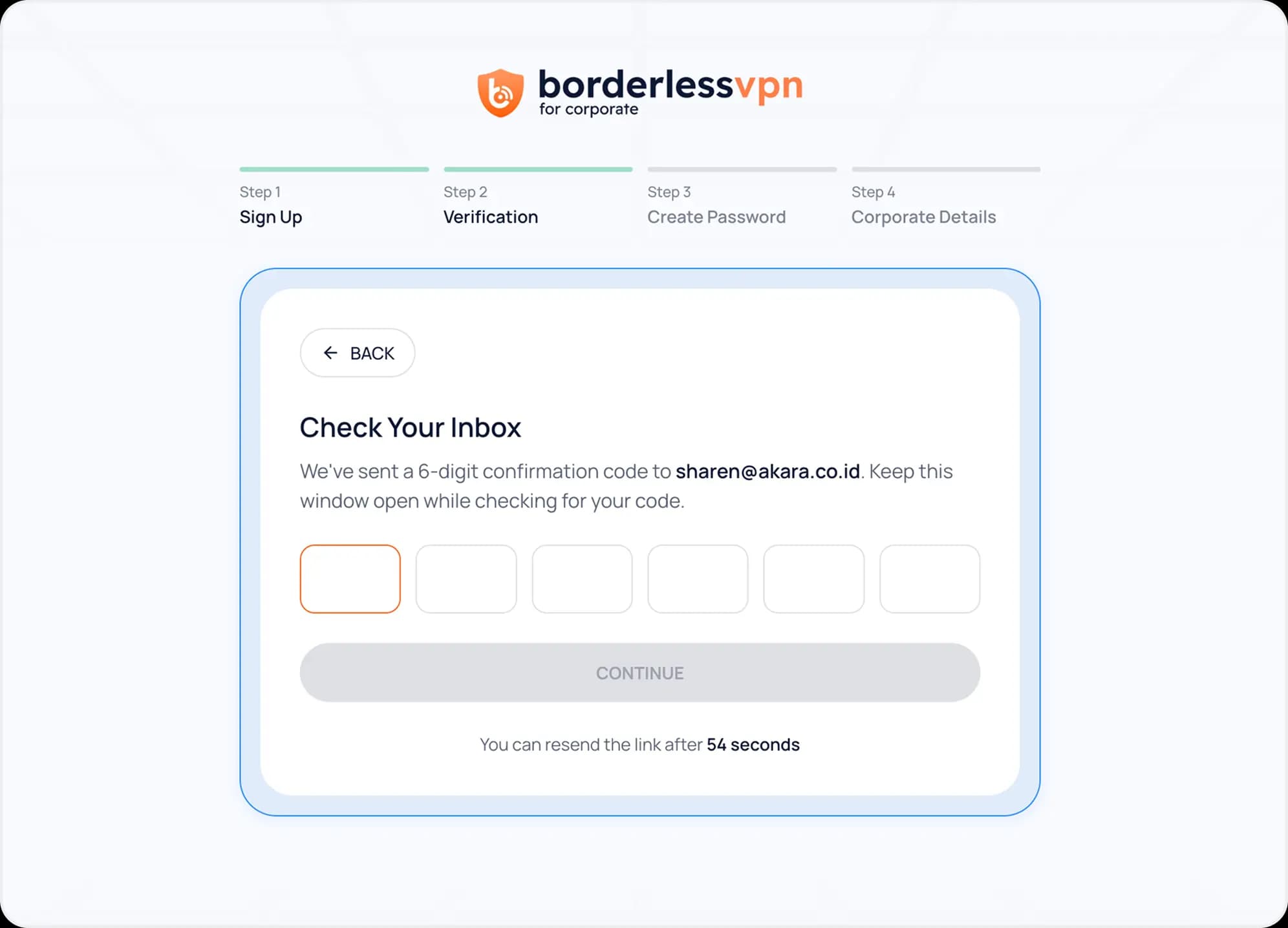
The 2nd step is to check your inbox, open the email, and input the confirmation code from our system. You can resend the confirmation code after 60 seconds. Once you input the valid confirmation code, click ‘Continue’ button
- 5
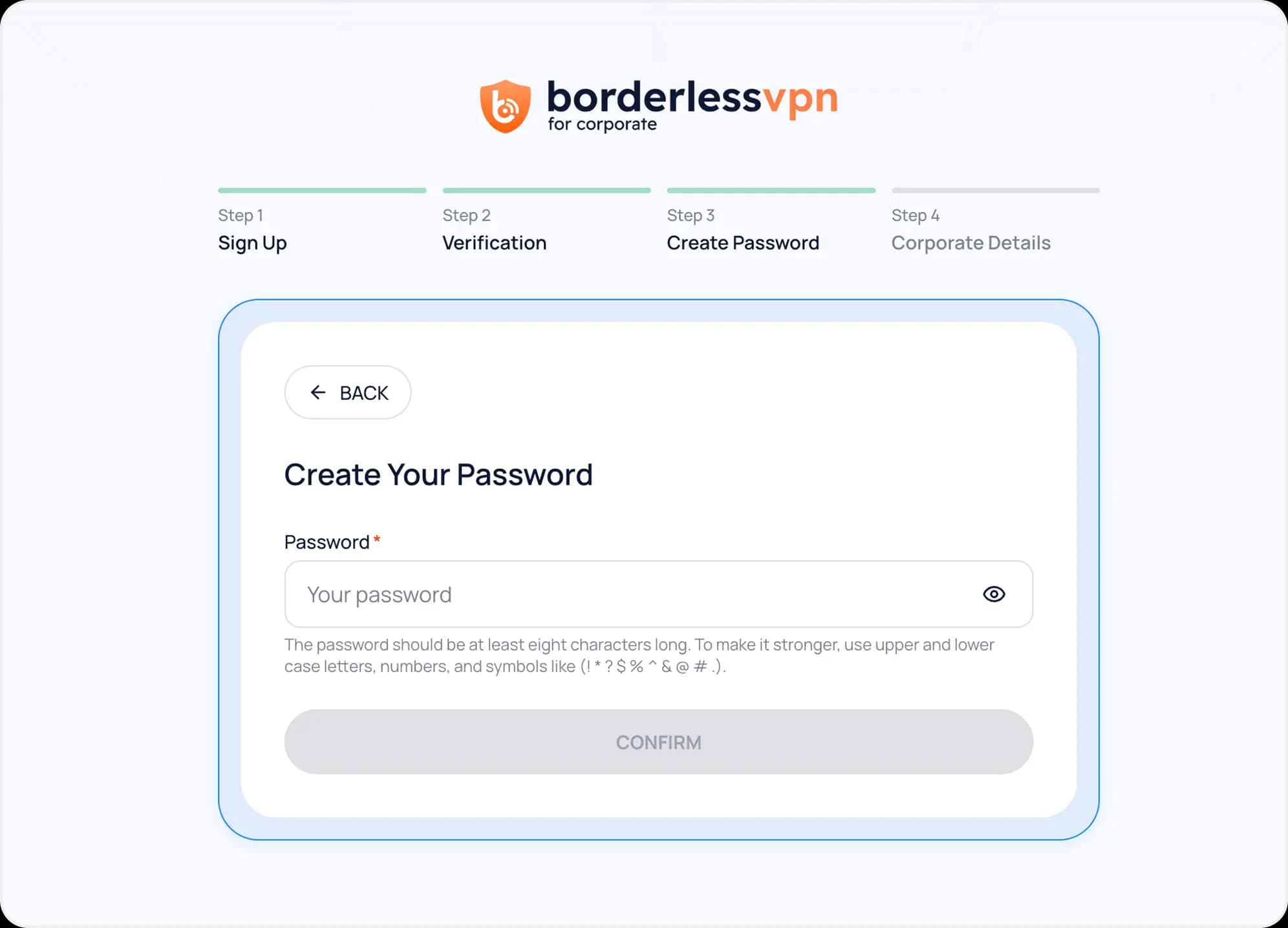
The 3rd step is to create your password that matches the conditions.
- 6
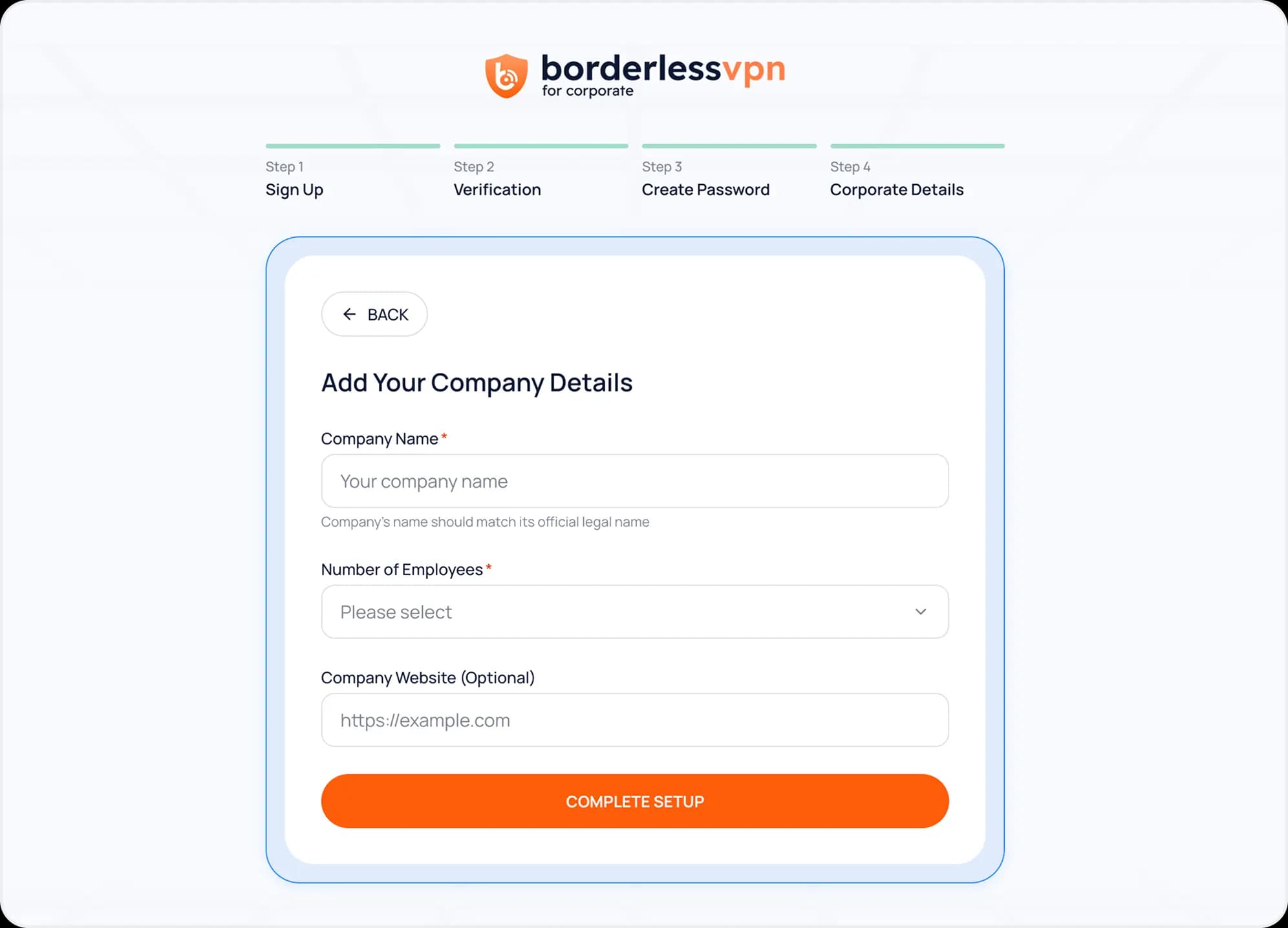
The 4th step is to input your company details.
- 7
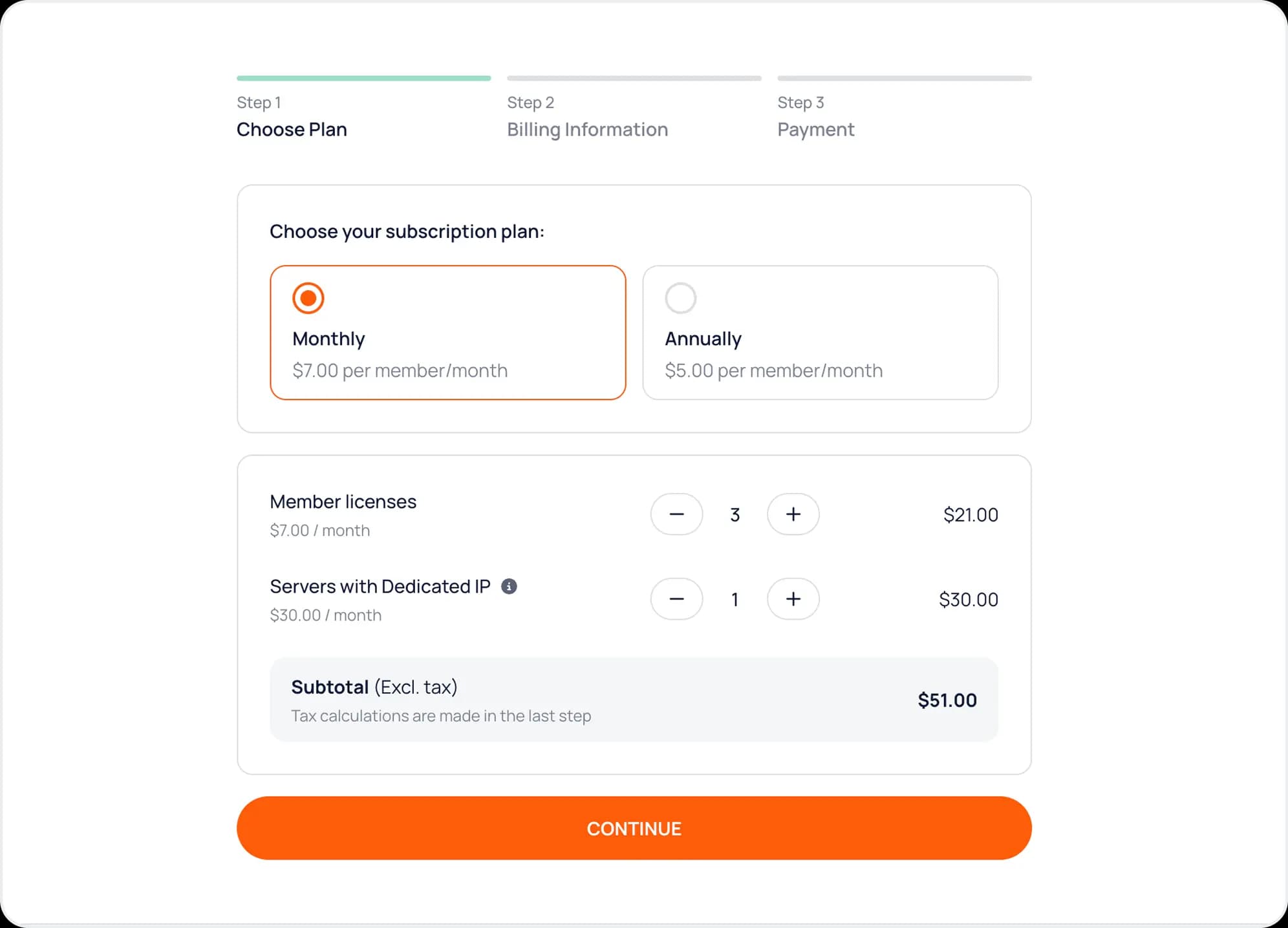
Once you complete the setup, the system will log you into payment processing in 3 steps. The 1st step is to choose the plan and number of licenses (members & servers with dedicated IP)
- 8
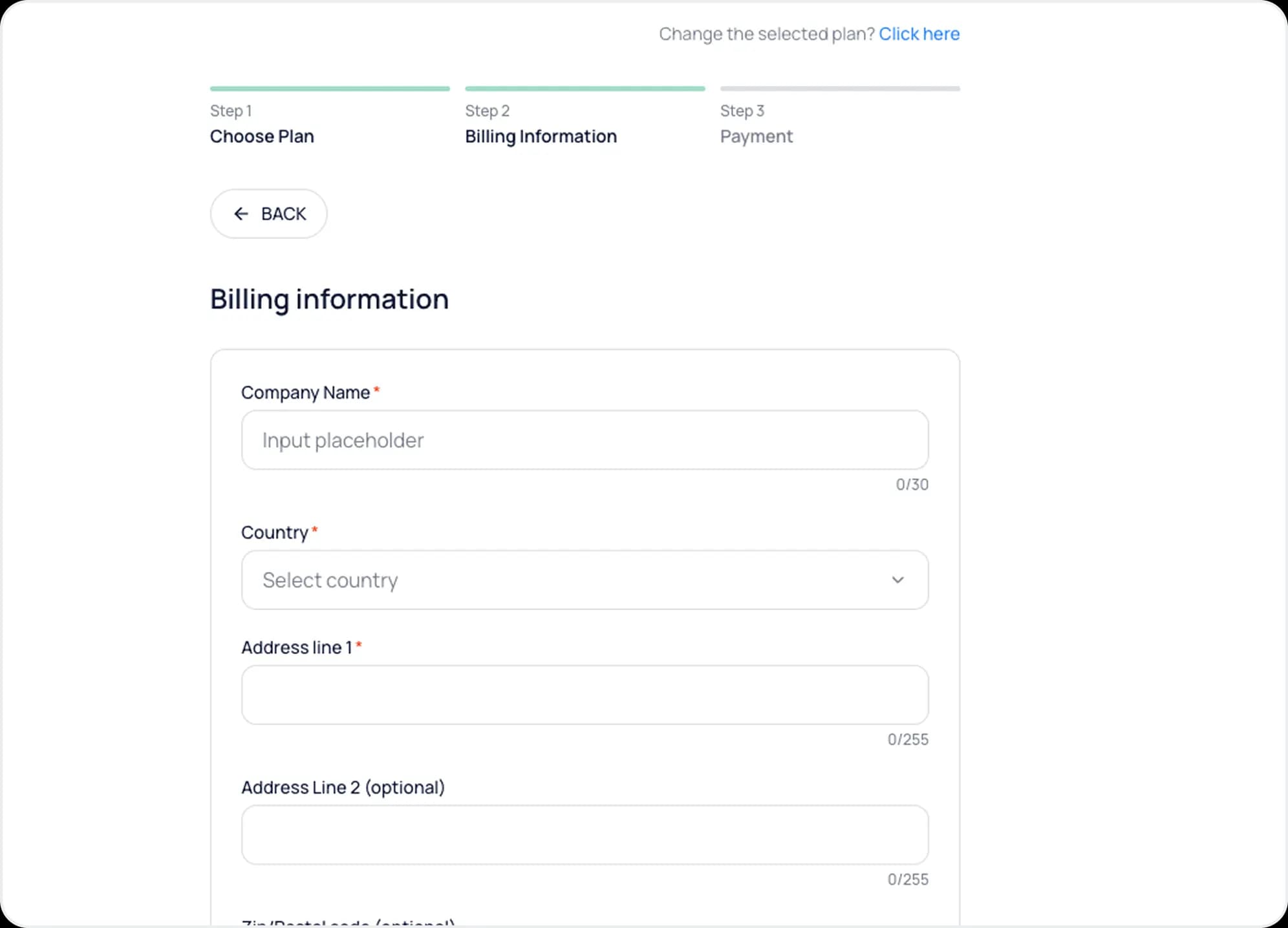
At 2nd step, you need to Input billing information here.
- 9
Once you input billing information and proceed, you will be redirected to Stripe checkout payment page, and need to input credit card information to process payment
- 10
On successful payment, your subscription should be active now!